1) Scan the document you wish to fax
2) Log out of your Zimbra Webmail and log back into Zimbra Webmail using the following credentials:
username: [email protected]
password: redtail@2013
3) Open ‘FAXUS’ inbox
4) Create a ‘New Message’ in the ‘FAXUS’ inbox
5) Attach the scanned document to the New Message
6) Send the email (which is really a fax) To: [insert client fax number here with no spaces or dashes]@fax2mail.com (example: [email protected])
7) The recipient will receive the fax in their fax machine. Everything will continue to work the same as it always has for the entity receiving our fax. There is no need to alert clients that we have changed from standard faxing to efax.
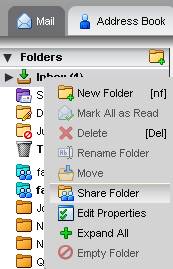
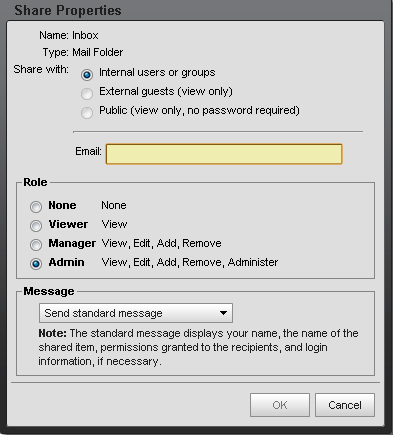
Sharing the Faxus Inbox – This will allow your personal email to see what is coming in and what is going out of the faxus inbox. Log out of your email and log in to the faxus inbox. Then right click over the inbox and select share. In the pop up window box type in your email, select admin, and then select ok. Once complete, you should see this inbox in your list of email folders.